Building a great mobile app starts with picking the right programming language. Whether I want to release something for iOS, Android, or both, this choice shapes everything about how I develop and maintain my app. From user experience to long-term updates, the language sets the stage. In this article, I’m explaining the best programming languages for app development and how to find the one that fits with my needs, my skills, and my goals for the project.
Why the Programming Language Matters in App Development
The programming language I pick isn’t just about typing code. It affects how smoothly my app performs, how easy it is to add future features, and even how quickly I can squash bugs or adjust for users’ feedback. Research from Stack Overflow’s 2023 Developer Survey shows that knowing a language that’s in demand or widely used makes it simpler to hire help later on, tap into existing code libraries, and fix problems faster.
The platform I’m targeting is another factor. Android apps often use different languages than iOS apps. There are also crossplatform options that let me write once and publish everywhere. Making an informed pick here saves time and prevents headaches down the road.
Popular Programming Languages for App Development
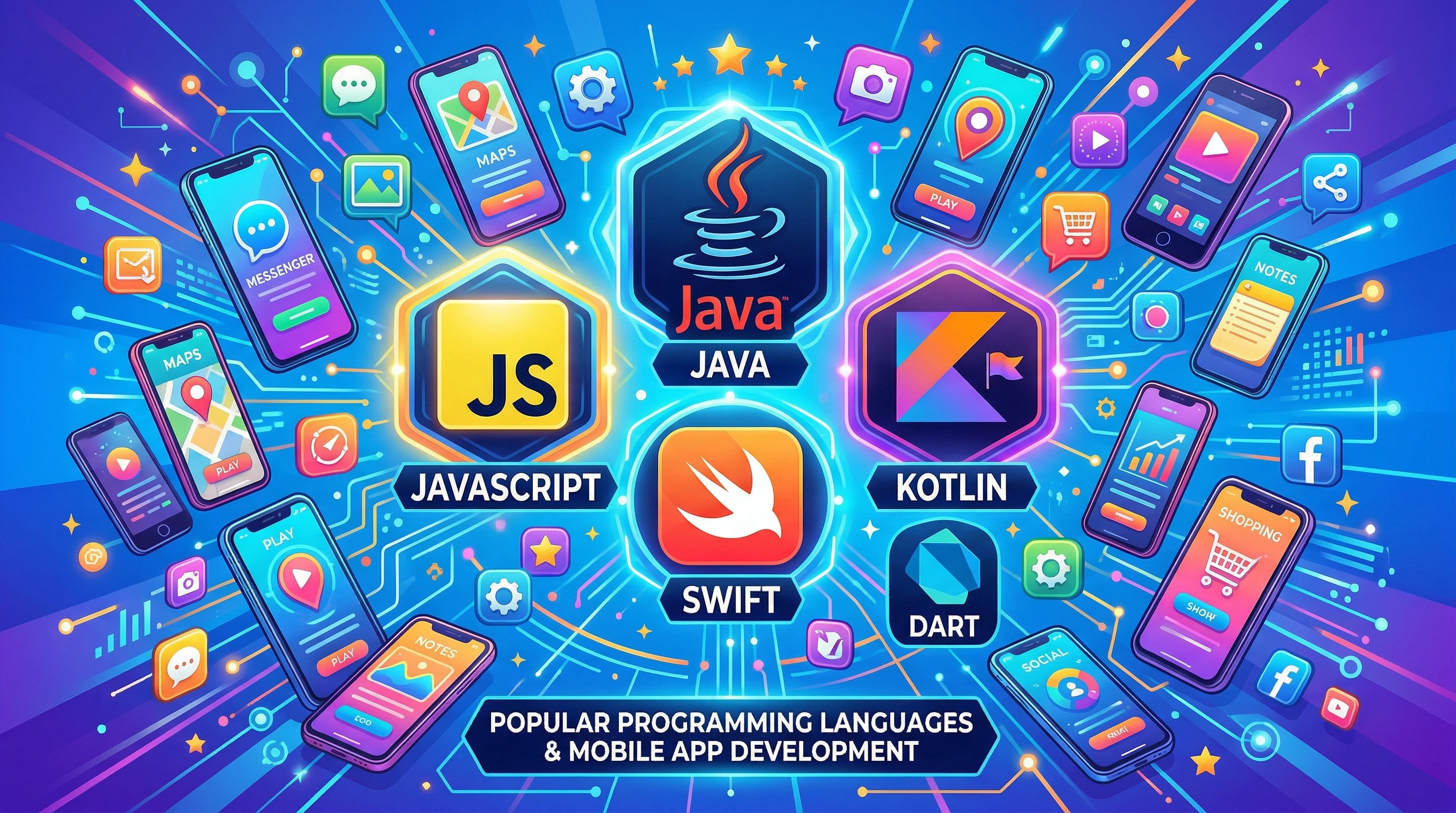
The best programming languages for app development often become popular because they hit a sweet spot between performance, easy learning curve, and active community support. Here’s a breakdown of the top options and what they’re best at.
- Java: This language shaped Android app development for years. It’s object oriented, stable, and supported nearly everywhere. If I want maximum compatibility and longterm support for my Android app, Java makes a lot of sense.
- Kotlin: As the preferred modern language for Android, Kotlin is easy to learn for Java programmers and improves on some trouble spots. Google officially backs Kotlin, making it a safe bet for new Android projects.
- Swift: This is the go to choice for iOS and Mac development. Apple created Swift to be safer and faster than Objective C. It’s clean, expressive, and growing quickly, with strong support in Xcode (Apple’s main development tool).
- Dart (with Flutter): Dart powers the Flutter framework, which lets me build apps for both Android and iOS at the same time. I can reuse most of my code and get smooth, nativefeeling interfaces. Its widget based design makes customizing my app’s look easier.
- JavaScript (with React Native): JavaScript is everywhere in web development, but paired with frameworks like React Native, it now builds mobile apps too. This lets me use my web knowledge and tap into an enormous talent pool.
- C# (with Xamarin): Xamarin and .NET let me craft crossplatform apps for Android, iOS, and even Windows devices using C#. If I already know C# from desktop programming, this can be a straightforward path to mobile development.
Choosing Between Native and Crossplatform Development
My main choice early on is whether to build a native app for each platform or create a crossplatform app that works everywhere. Each approach comes with its strengths and trade offs.
- Native development means using Swift for iOS or Kotlin/Java for Android. These apps take the most advantage of a phone’s features and usually run faster. I pick native when I want the very best performance and a true platform experience.
- Crossplatform development uses technologies like Flutter, React Native, or Xamarin. I write the code once and share it across platforms. It cuts down my work if I need to launch an app for both iOS and Android, but sometimes there are limits or extra steps to match every platform feature exactly.
How to Pick the Right Programming Language for My Project
When deciding on a language, I weigh several factors to help guide my decision:
- Consider the Target Users: If my users are mostly on iPhones, I usually focus on Swift. If they’re on Android, Kotlin or Java is the most direct route.
- Think About Speed and Performance: For performance heavy apps, such as games or AR, native languages are usually the best bet.
- Look at My Own Skills: Learning a brand new language can slow down my project, so sticking to what I already know, or picking a similar language, reduces the learning curve.
- Check the Community and Library Support: Choosing a language with a big, active community gives me more sample code, third party tools, and faster answers to my questions.
- Size Up LongTerm Maintenance: Widely used languages generally have better longterm support so I’m not left dealing with abandoned libraries or outdated documentation in a year or two.
Common Pitfalls When Choosing a Language
Choosing a language without looking ahead can cause some headaches. Here are some things I keep an eye out for:
- Ignore Platform Updates: Occasionally, language support drops or new platform features take a while to reach crossplatform frameworks. I try to track official blogs and developer updates to stay ahead.
- Underestimating App Store Rules: Apple and Google sometimes require specific languages or frameworks for new features. I check these policies up front to avoid re writing code later.
- Not Checking for Library Support: Certain UI elements, device sensors, or integrations may not be easy to implement in every language. I research what’s available for my musthave features.
- Focusing Only on the Hottest Language: Something that’s popular today might get less attention tomorrow. I try to strike a balance between trendiness and longterm backing.
- Disregarding My Team’s Strengths: If I work with others, I ask what my team knows best. Collaborating in a familiar language reduces errors and builds momentum.
Performance Differences
Native languages often give better speed and access to advanced features. Crossplatform tools keep closing that gap, but for some needs, like access to sensors, camera hardware, or complex animations, native is still the smoother path. Simple data driven apps or apps that display lots of static content are perfect candidates for crossplatform code.
Ease of Learning
If I’m starting out, JavaScript and Dart have some of the friendliest entry points, especially if I have a web background. Swift and Kotlin are also modern languages, with lots of resources aimed at beginners. Plenty of free courses, official documentation, and helpful communities makes learning smoother.
Extra Tips for FirstTime App Developers
Getting started with app development can feel overwhelming. Here’s what has helped me and other beginners:
- Start with a Simple Project: I pick a small idea, like a todo list or weather app, to learn the ropes before jumping into something huge.
- Read Official Docs: Apple and Google’s official guides have uptodate, stepbystep instructions for all device types.
- Use Starter Templates: Modern IDEs like Xcode or Android Studio offer sample projects or templates, so I don’t have to begin from scratch.
- Join Online Communities: Spaces like Stack Overflow, Reddit’s r/androiddev or r/iOSProgramming, and official forums help with troubleshooting or sparking new project ideas.
- Test on Real Devices: Emulators are handy, but real devices reveal hidden bugs. I check my app on at least one actual phone before I launch.
The Role of Emerging Languages and Trends
Sometimes, new tools or frameworks come along that change how I approach app development. For example, Jetpack Compose for Android uses Kotlin in a new, cleaner way to declare layouts in code. Similarly, SwiftUI has made iOS app design smoother and more creative. Staying aware of such trends lets me build apps more efficiently and pick up new concepts that may become the new standard soon.
- Crossplatform frameworks are getting stronger: Flutter and React Native update often, so building for both iOS and Android is easier than ever.
- Better support for AI and machine learning: Languages like Python aren’t mainstays for UI, but they integrate with mobile apps for complex features like image recognition or speech analysis, using APIs and frameworks.
Realworld Examples: Apps Built with Each Language
- Java: Earlier versions of the official Android app for Twitter and other big services were built with Java.
- Kotlin: Pinterest and Evernote use Kotlin for their Android apps now.
- Swift: LinkedIn, Airbnb, and the iOS version of Lyft use Swift.
- Dart/Flutter: Google Ads, Reflectly, and Alibaba apps rely on Flutter.
- JavaScript/React Native: Facebook, Instagram, Skype, and parts of Uber’s app use React Native for sections of their mobile experience.
- C#/Xamarin: The BBC Good Food and Alaska Airlines apps are built using Xamarin.
Frequently Asked Questions About Programming Languages for App Development
Question: Can I use one language for both Android and iOS apps?
Answer: Yes, frameworks like Flutter (Dart), React Native (JavaScript), and Xamarin (C#) let me write an app once and publish to both platforms, though I sometimes need small adjustments for each device.
Question: Which language pays off more for beginners?
Answer: Swift and Kotlin are the most indemand for their respective platforms, and both are good for beginners. If I already know web development, jumping into JavaScript with React Native speeds up the process.
Question: How do I decide if a language is right for my project?
Answer: I look at platform requirements, my goals (native vs. crossplatform), and the skills I already have. Checking out popular apps and what they use often helps me decide.
Key Takeaways About Best Programming Languages for App Development
Picking the right programming language for app development leads to better performance, easier troubleshooting, and a smoother experience during updates. My choice depends on platform targets, my background, and what features I want to deliver. Learning about these languages ahead of time, practicing with small projects, and watching where the community is heading gives me a real boost on my development adventure. Modern tools have made app creation more accessible than ever, so choosing wisely and getting started is how impactful apps come to life.