Choosing the right type of app development can shape everything from budget and timeline to the features your app can support. As someone who has built, managed, and seen many app projects from idea to launch, I know that figuring out which route to take can feel overwhelming. With so many technologies, platforms, and business needs, picking the right type of app development is really important when you’re just starting out, or even when you’re refreshing an old idea. This article explains the different approaches to app development so you can make informed decisions based on your goals, needs, and target audience.
Major Types of App Development
App development has grown a lot over the past decade, changing how people interact with businesses, stores, and each other. Choosing the right development approach helps ensure that users get a smoother experience and that you stay within your time and cost goals.
Just like choosing the right tool for a job, picking a development method often depends on your goals, technical requirements, and the audience you want to reach. Each type comes with its own strengths and tradeoffs. If you’re not sure where to start, check out what your competitors are doing to get a sense of what’s working in your market before making your own decisions.
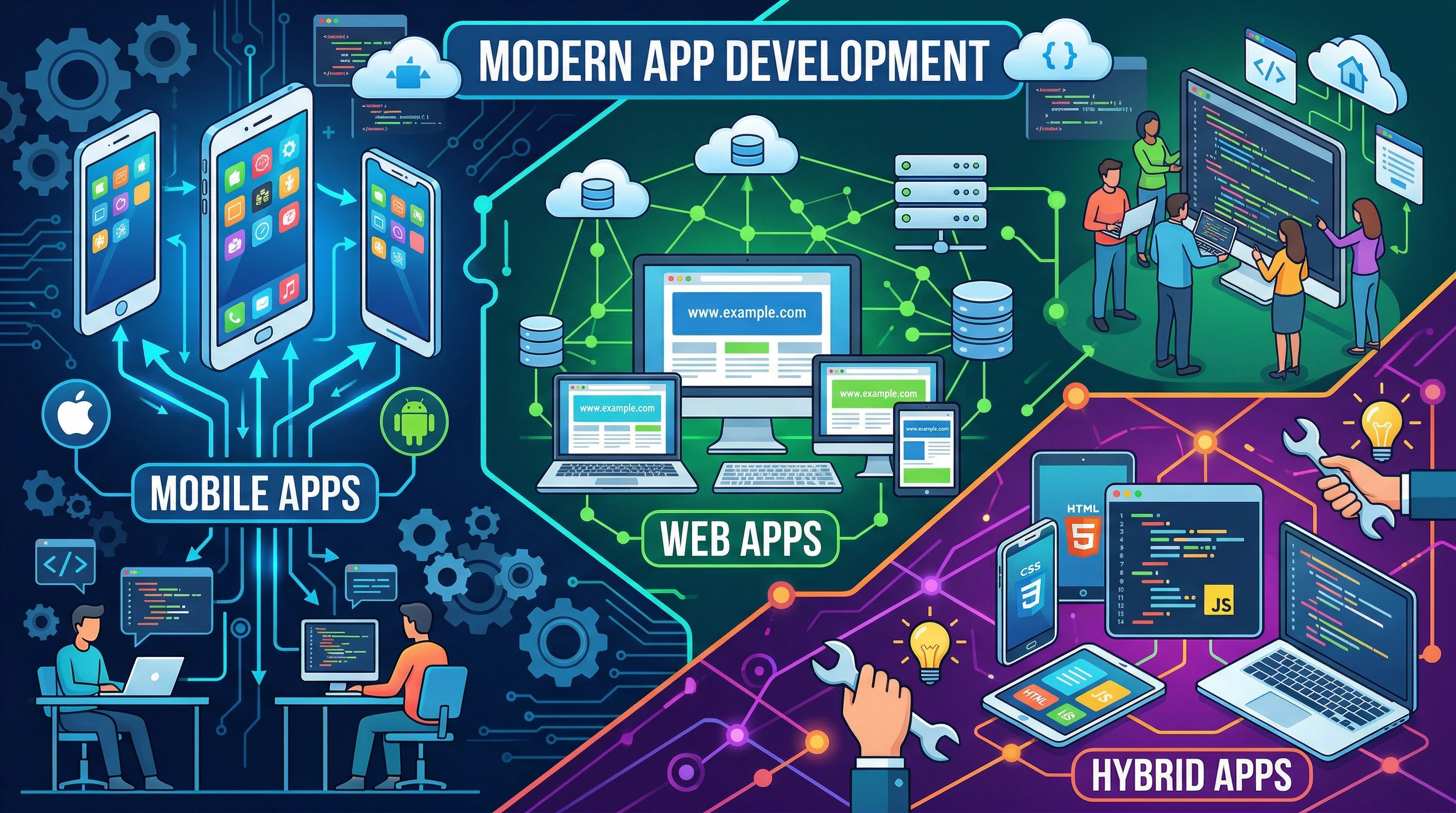
Here’s a look at the main types of app development you’ll run into most often:
- Native App Development – Apps built specifically for one platform, like iOS or Android, using their official languages and tools.
- Crossplatform and Hybrid App Development – Apps designed to run on multiple platforms using shared codebases and frameworks, such as React Native or Flutter.
- Web App Development – Browser-based apps that work across devices, usually made with HTML, CSS, and JavaScript.
- Progressive Web Apps (PWAs) – Web apps that act like native apps on supported devices, offering offline support and push notifications.
Each option can work well, but your choice depends on what matters most to you—features, cost, time, and the audience you want to reach.
Native App Development
Native app development means building an app that runs on a single operating system, like Apple’s iOS or Google’s Android. These apps use languages chosen specifically for the system, such as Swift for iOS and Kotlin or Java for Android. You’ll usually find this kind of app in the App Store or Google Play.
From my own work, I’ve seen native apps provide the best performance and deep access to device features (like the camera or GPS). The downside is that you need separate codebases for each platform. This can mean longer development time and higher costs if you want your app on both iOS and Android.
- Pros: Fast performance, strong security, full use of device features.
- Cons: Requires separate builds for each platform, making updates and changes more involved.
Native development is a good choice when performance, smooth user experience, or advanced features are your top priorities. You might have used popular native apps like Instagram on iOS or Google Maps on Android. These usually feel the most polished and responsive since they’re built directly for the device.
Crossplatform and Hybrid App Development
Crossplatform and hybrid apps offer a solution for reaching multiple platforms without doubling up on work. Crossplatform apps, usually built with tools like React Native or Flutter, share a lot of their code between iOS and Android. Hybrid apps often wrap a web browser in a native container using frameworks like Ionic or Cordova. This approach lets you build once and launch everywhere, which can be especially helpful for tight budgets and lean teams.
I’ve worked with companies wanting to target both iOS and Android with a tight budget. Choosing crossplatform development sped up the process and reduced the need for two separate teams. The main tradeoff I noticed is that performance isn’t always on par with fully native apps, especially for graphically intense or superfast features.
- Pros: Faster development, easier updates, lower costs for multiplatform projects.
- Cons: May not have full access to every device feature, and can run slower than native apps for heavy tasks.
If your app doesn’t need the full power of each device platform and you’re working with limited resources, crossplatform development could be the practical way to go. I’ve seen startups and small businesses get to market fast using this option. Some companies have even been able to test ideas quickly and then later switch to native if their app took off.
Web App Development
Web apps live in your browser and don’t need to be downloaded from an app store. They’re usually built with web technologies like HTML, CSS, and JavaScript. You can open a web app on almost any device that has a modern browser, which is great for reaching users wherever they are.
One of my favorite things about web apps is how accessible they are. Users don’t need to install anything, so barriers to entry are low. A clear example is Google Docs, which lets people collaborate from any device without installing special software. Businesses often use web apps for dashboards, project management, and scheduling tools because team members can log in and get working right away.
- Pros: No app store approval required, runs on any browser, easy updates and bug fixes.
- Cons: Can’t always use device features, requires internet access (unless designed as a PWA).
Web app development makes sense for apps focused on content, forms, or collaboration, where you want everyone to have access right away. Since you only have to maintain one version, it’s also a smart fit for teams that value rapid iteration and constant feedback from users.
Progressive Web Applications (PWAs)
Progressive Web Apps, or PWAs, combine the flexibility of web apps with some functions typically seen in mobile apps. PWAs work in browsers but can also be added to a device’s home screen, work offline, and send push notifications. All this is possible without going through an app store.
The first time I tried a PWA, I was impressed that it worked perfectly even when I turned off WiFi. Businesses looking for a smooth mobile experience without the hurdles of app stores often turn to PWAs, especially for ecommerce or media apps. Even banks and travel agencies have started experimenting with PWAs to reach users who might not want to download full mobile apps.
- Pros: Quick updates, offline support, easy to find through search engines, no installation required.
- Cons: May not support every feature of native apps (like advanced camera controls), and offline capabilities depend on how the PWA is designed.
For teams that want to reach the biggest possible audience quickly, a well-built PWA brings together the best of both native and web approaches.
Factors to Consider When Choosing an App Development Approach
Picking between native, crossplatform, web, or PWA depends on your audience, features, budget, and timeline. Here are some points I always check before making a choice:
- User Experience: Native apps often win here, but crossplatform and PWAs are closing the gap.
- Budget: Web and crossplatform apps can save money, but complex requirements may push you toward native.
- Time to Market: Web, crossplatform, and hybrid apps typically move faster from idea to launch than fully native apps.
- Device Features: If you need deep access (like sensors or background processes), native apps offer the most tools.
- Maintenance: Crossplatform and web approaches usually mean lighter updates and less code to manage over the long run.
For example, building a simple inventory tracker for a small team probably doesn’t need a fullfeatured native app. A web app or PWA might serve just as well and be easier to update. On the other hand, a game that uses heavy graphics or advanced features will likely require native code.
Challenges with Each Type of App Development
No approach is perfect, and each method brings its own challenges. These are some of the most common issues I see in various projects:
Performance Differences
For heavyduty apps like games or highly interactive tools, native apps outperform hybrids and webbased options. Crossplatform and PWAs make up ground for most business and productivity apps, but not for everything. If your audience demands flawless graphics or fast real-time interactions, native code may be worth the extra work.
Access to Latest Device Features
Native app development keeps up best with new features released by phone makers. Crossplatform and hybrid approaches might lag behind while updates become available through frameworks. Some frameworks try to catch up quickly, but there can still be a gap before everyone gets the latest options.
App Store Approval and Distribution
Native apps generally need to pass strict reviews before users can download them. Web apps and PWAs can be accessed instantly with a link, making them easier to roll out and update for everyone at the same time. For teams who want direct control over distribution, PWAs are a good workaround.
RealLife Examples of Each Type
Knowing which companies use each type of app development can help you picture the results in real situations:
- Native: Snapchat and WhatsApp use native development to provide reliable, fast messaging and rich media tools.
- Crossplatform: Apps like Airbnb and Facebook Ads Manager use React Native, getting wide device coverage with shared code.
- Web Apps: Trello and Google Docs are classic web apps, often updated frequently and with instant access from anywhere.
- PWA: Starbucks’ mobile ordering website delivers a strong applike experience, even with low or no connectivity. Twitter Lite is another widely used PWA offering a fast, slimmeddown version of Twitter.
Frequently Asked Questions About App Development Types
Here are some questions people ask me most often when they’re trying to pick an approach for new projects and ideas:
Question: Which type is best if I want to keep costs down?
Answer: Crossplatform or web app development often keeps initial costs lower, since you only need to create and maintain one codebase.
Question: What’s the easiest way to get an app on my users’ phones without going through an app store?
Answer: PWAs can be shared by a simple URL or QR code. They offer many features common to native apps without store approval.
Question: Can a web app work offline?
Answer: Standard web apps need an internet connection, but PWAs are designed to work offline for key features like viewing data and basic tasks.
Why Your Choice of App Development Approach Matters
The method you choose affects how quickly users can find and use your app, how fast you can ship updates, and what your app can actually do. Keeping these factors in mind early helps avoid costly changes down the line. My best advice—start with your users’ habits and technical needs, then match your app development type to what matters most for your audience and business goals. Picking the right approach starting out will save lots of time and set your project up for success.